
Academische roosterplanningdie beter werkt voor echte mensen.
ClassEdit genereert een volledig haalbaar, conflictvrij rooster, legt elke beslissing uit en geeft planners volledige controle om met vertrouwen te beoordelen, verfijnen en publiceren.
Van blanco pagina tot gepubliceerd rooster, stap voor stap.
Importeer je schoolgegevens
Importeer gegevens via alle gangbare bestandstypen, verzamel input via ons desideratasysteem voor leerkrachten, of werk alles handmatig bij in de app.
Stel je planningsregels in
Vertel ClassEdit wat beschermd moet worden en wat de voorkeur heeft wanneer er keuzes gemaakt moeten worden.
Genereer een conceptrooster
Start het roosterproces en blijf werken terwijl ClassEdit sneller en betrouwbaarder een eerste concept genereert dan vergelijkbare tools.
Bekijk het resultaat
Controleer het rooster, zie de belangrijkste afwegingen en vind snel alles wat nader onderzoek nodig heeft.
Verfijn en keur goed
Zet de juiste delen vast, verplaats lessen die aandacht nodig hebben en leg vast waarom een uitzondering werd gemaakt.
Publiceer met vertrouwen
Exporteer het definitieve rooster of presenteer het rechtstreeks via het ClassEdit-portaal aan de juiste personen, met elke versie bijgehouden.
Een platform gebouwd voor de manier waarop scholen echt werken.
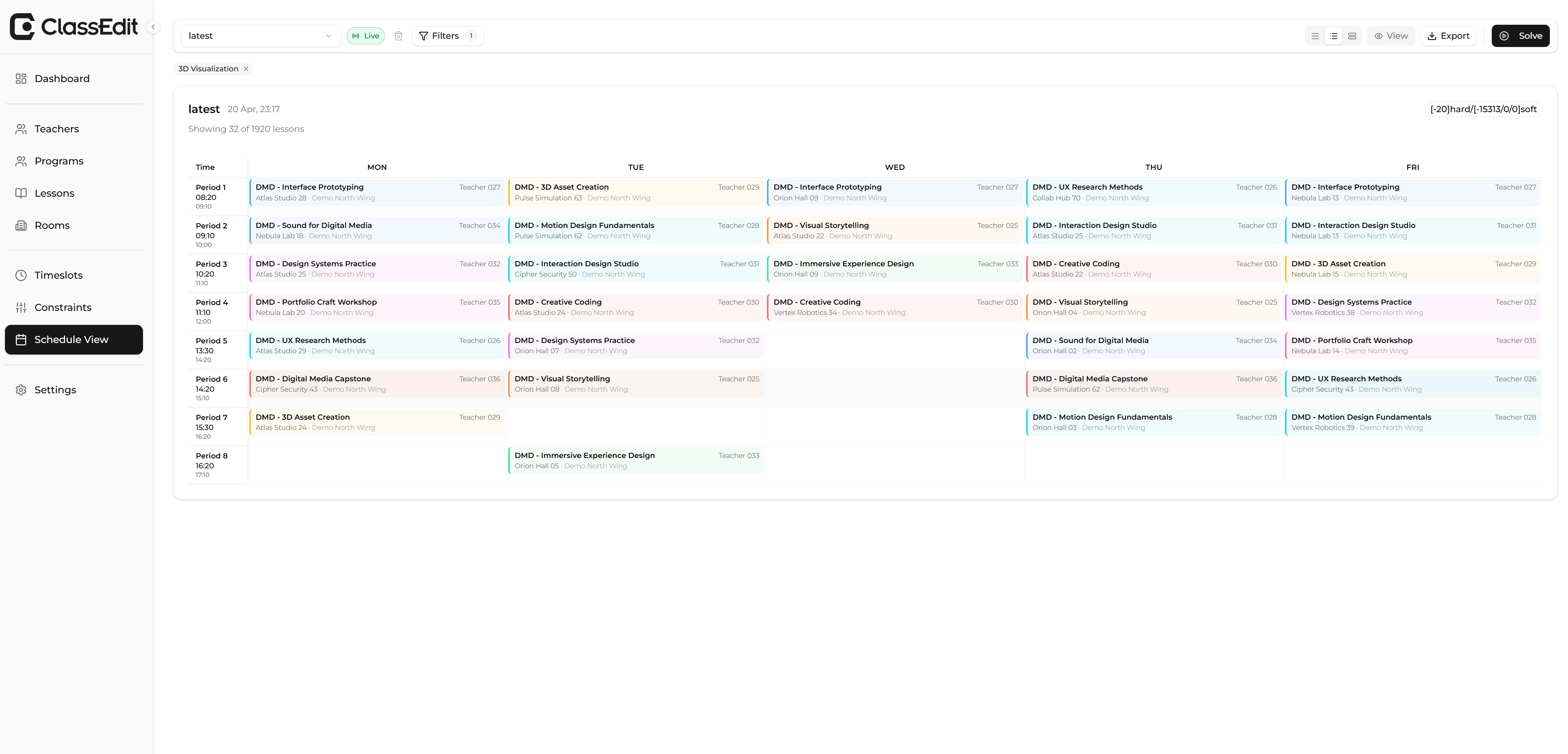
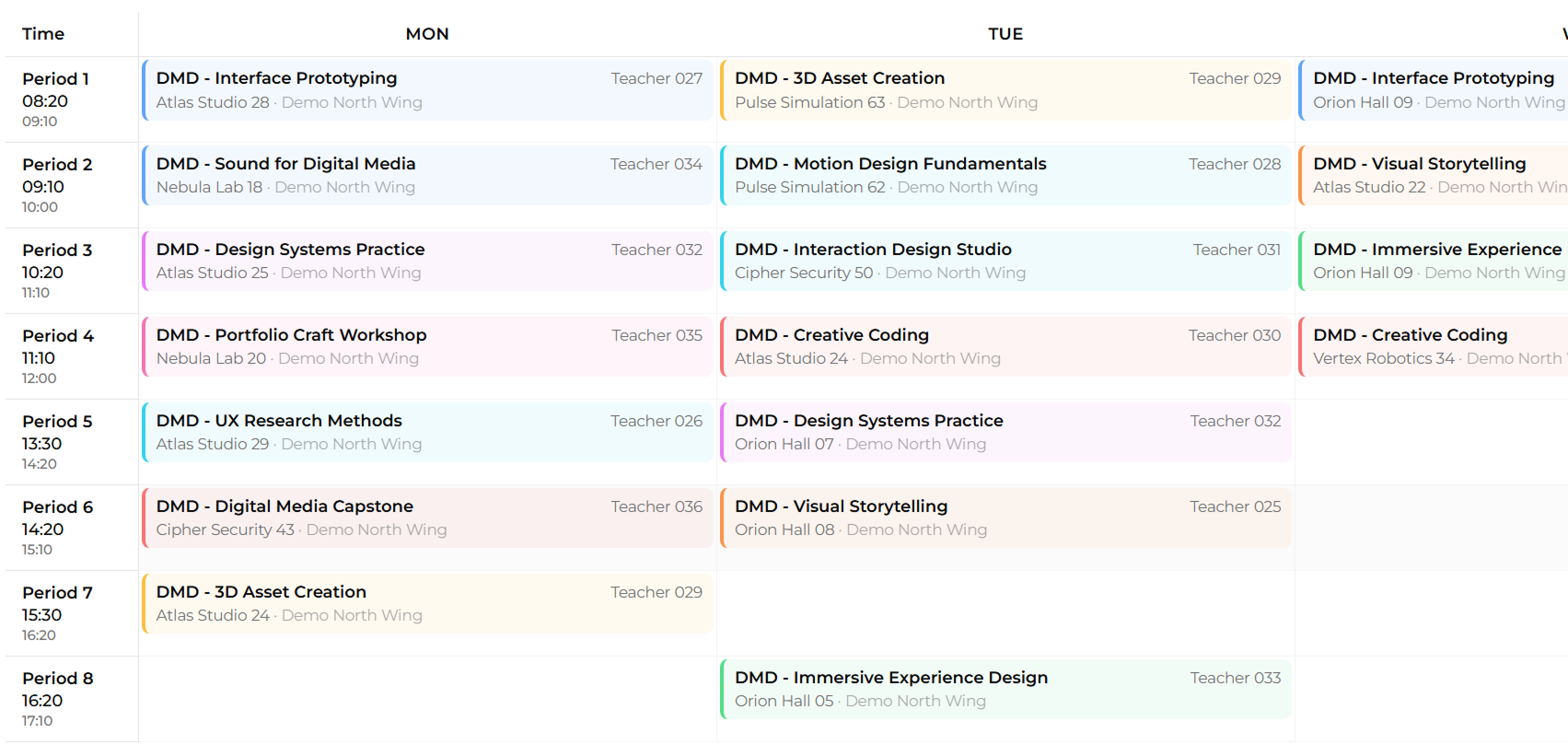
Multi-entiteit roosterweergave met filters, conflictdetectie en directe lesbewerking.
Elk schooljaar hetzelfde uitputtende proces.
Te veel handmatig werk, zelfs met software
Huidige tools vereisen nog steeds veel handmatige planning en opruiming omdat ze geen compleet, publicatieklaar rooster opleveren.
ClassEdit genereert een afgerond rooster op basis van je beperkingen. Als een geldig rooster onmogelijk is, legt het precies uit welke beperking het resultaat blokkeert.
Voorkeuren van leerkrachten zijn moeilijk te beheren
Het verzamelen, opvolgen en honoreren van desiderata van leerkrachten blijft een grote operationele frustratie voor planningsteams.
Desideratabeheer voor leerkrachten verplaatst die werklast naar voren in één gestructureerde flow, zodat scholen voorkeuren duidelijk kunnen verzamelen, beoordelen en gebruiken vóór de generatie start.
Aanpassingen na generatie zijn complex
Nadat een rooster is gegenereerd, zijn veilige aanpassingen vaak moeilijk en tijdrovend omdat wijzigingen door het hele rooster rimpelen.
Drag-and-drop-bewerking maakt aanpassingen visueel na generatie, met directe feedback die toont of een wijziging mogelijk is voordat deze wordt toegepast.
Scholen jongleren met te veel tools
Veel scholen combineren drie tot vijf verschillende tools in één workflow, wat fragmentatie, overdrachtsfouten en dubbel werk veroorzaakt.
ClassEdit brengt gegevensverzameling van leerkrachten, roostergeneratie, aanpassingen het hele jaar door en toegang tot roosters voor leerlingen en leerkrachten samen in één platform.
Gebouwd voor elk onderdeel van schoolroosterplanning.
Bouw roosters op de achtergrond
Start een nieuw rooster en ga verder met je dag. ClassEdit blijft werken en laat je weten wanneer het concept klaar is.
Zie waarom een rooster werkt
Elk concept legt uit wat goed ging, waar compromissen werden gemaakt en welke regels aandacht nodig hebben.
Stel de prioriteiten van je school in
Markeer de regels die niet gebroken mogen worden en de voorkeuren die het meest tellen, van beschikbaarheid van leerkrachten tot lokalen.
Zet belangrijke lessen vast
Houd goedgekeurde lessen op hun plaats zodat toekomstige wijzigingen beslissingen van je team niet ongedaan maken.
Bewerk handmatig wanneer nodig
Verplaats lessen direct en krijg een waarschuwing wanneer een wijziging een conflict veroorzaakt, zodat oplossingen duidelijk en traceerbaar blijven.
Bekijk het rooster vanuit elke hoek
Wissel tussen leerkracht-, klas- en lokaalweergaven om het rooster te controleren zoals elk team het nodig heeft.
Beoordeel vóór publicatie
Ga in duidelijke stappen van concept naar definitief, met de juiste personen die goedkeuren voordat iets live gaat.
Pas bij je schooldag
Stel je periodes, pauzes en beltijden één keer in en gebruik die structuur in elk rooster.
Haal Microsoft 365-gegevens binnen
Importeer personeel, klassen en lokalen uit Microsoft 365 en ontdek ontbrekende of conflicterende informatie vóór de planning start.
Deel in het juiste formaat
Exporteer spreadsheets, databestanden of drukklare PDF's voor leerkrachten, leerlingen, lokalen en directie.
Houd een duidelijke wijzigingsgeschiedenis bij
Zie wie wat wijzigde, wanneer het gebeurde en waarom een handmatige overschrijving werd gemaakt.
Geef elke rol de juiste toegang
Planners, beheerders en kijkers zien alleen de scholen, tools en informatie die ze mogen gebruiken.
Weet precies waarom je rooster er zo uitziet.
De meeste planningstools geven je een score. ClassEdit geeft je een uitleg. Elk gegenereerd rooster bevat een constraintanalyse — een overzicht van elke toegepaste regel, of deze werd nageleefd en de toegepaste straf wanneer dat niet het geval was.
Overtredingen per constraint over alle vier niveaus.

Gebouwd op onderzoek. Gedreven door een duidelijke missie.
ClassEdit is gebouwd door Jonathan Denoo en Kyani Logghe uit België, die een probleem wilden oplossen dat bijna iedereen op een bepaald moment in het leven positief beïnvloedt, maar grotendeels over het hoofd wordt gezien door een handvol softwaregiganten die de markt al te lang voor zichzelf houden.
Voordat we de software begonnen te bouwen, bevraagden we planners, leerkrachten en directeurs bij meer dan 70 scholen, omdat we het probleem echt wilden begrijpen voordat we beweerden het te kunnen oplossen.
Wat ons drijft is de kans om op een betekenisvolle manier bij te dragen aan onderwijs. Onze missie is planners, leerkrachten en leerlingen een betere schoolervaring te geven via slimmere roosterplanning.
We bouwen op echt onderzoek, we richten ons op de niches die grote softwarespelers over het hoofd zien, en dat is precies waar we een echt verschil kunnen maken.
We zijn er niet om een kapot proces te digitaliseren. We zijn er om de manier waarop lesroosterplanning werkt te hervormen, school per school.
Klaar om betere roosters voor je school te bouwen?
ClassEdit nodigt momenteel pilotscholen uit. Krijg vroege toegang en help een slimmere manier testen om schoolroosters te maken, bewerken en beheren. Word een van de eerste planningsteams die een eenvoudige, mensgerichte planningsworkflow ervaren.